
Skylight
Skylight FramePhotography
4.010.76K Reviews
- Version
- 2.32.0
- Installs
- 1.00M
- Age Rating
- Everyone
Screenshots

Our Review of Skylight
 Analysis by Appyee
Have you ever looked up at the sky and wished you could know more about those twinkling stars above? Well, guess what? The Skylight app has got you covered. This nifty little app turns your phone into a pocket-sized planetarium. It's like having an astronomer right in your pocket, ready to spill the cosmic beans at any time.
Exploring the Cosmos
First off, let's talk about how easy it is to get started. Once you fire up Skylight, you're immediately greeted with a stunning view of the night sky. The app uses your phone's GPS to figure out exactly where you are and what celestial wonders are visible from your location. Just point your phone at the sky, and bam! The app identifies stars, constellations, and even planets.
One of the coolest features? It’s the augmented reality mode. Seriously, it's like magic. You can see the names of stars and constellations overlaying the actual sky. So, if you’ve ever found yourself arguing with a friend about whether that twinkling dot is Venus or just a plane, this app settles it.
Astronomical Fun for Everyone
Another thing I love about Skylight is how it makes astronomy accessible to everyone. You don't need to be a space geek to enjoy it. The app includes detailed information about each celestial body, and it’s presented in a way that’s easy to understand. It’s perfect for kids who are curious about space, or anyone who just wants to impress their friends with some stellar knowledge.
Oh, and did I mention the time-travel feature? You can actually scroll through time to see how the sky looked in the past or how it will look in the future. It's mind-blowing to watch the stars and planets shift positions over the centuries.
Design and Usability
Let’s chat about the design for a second. The app is sleek and intuitive. The developers have clearly put a lot of thought into making it user-friendly. The interface is clean, with easy-to-navigate menus. You won’t find yourself lost in a black hole of confusion here.
However, it's important to note that the app does require a steady internet connection and access to your location for the best experience. So, if you’re planning to stargaze in a remote area, keep that in mind.
Wrapping it all up, Skylight is a fantastic tool for anyone interested in the night sky. Whether you're a seasoned astronomer or just starting out, this app offers something for everyone. So, next time you look up and wonder what's out there, just remember, the universe is only a tap away.
What to expect after the first few nights
The first session with a sky-identification app often feels like a small revelation: a familiar patch of darkness suddenly has labels and stories. The lasting value depends on whether you return with a question, not just whether the first overlay looks impressive. I find the most satisfying use is to pick one visible object, identify it, and then check again on another evening. That turns a quick novelty into a modest learning habit.
A practical outing might be a family walk after dinner. A child spots a bright point, and instead of guessing, you use the view to explore what is overhead. The useful part is not naming everything at once; it is letting one discovery lead to another. I would keep the phone use brief, then look back at the real sky. Otherwise, the screen can become the main event and the stars themselves an afterthought.
Small habits make the experience better
For a clearer first attempt, go outside when the sky is dark enough and give your eyes time to adjust before relying on the display. Hold the phone steadily and move it slowly rather than sweeping around quickly. If the labels seem confusing, pause and compare the screen with a recognizable landmark or a broad constellation pattern. These simple habits make the overlay easier to interpret and help avoid treating every bright point as a confident identification.
The time-shifting option is especially useful when clouds or daylight get in the way of a real observation. You can explore how the sky changes without waiting for a particular object to appear. I would use it to prepare for a later look outdoors, rather than as a replacement for one: the screen can explain where to look, while the actual view gives you the satisfying confirmation.
Who will enjoy it—and who may prefer another tool
This kind of experience suits curious beginners, parents looking for an easy conversation starter, and casual stargazers who want context without studying a chart first. It is also handy when friends disagree about what they are seeing, since a location-aware sky view gives everyone a shared reference point. If you already know the constellations and want a more technical observing workflow, a specialist astronomy resource may suit you better than an approachable visual guide.
Compared with a printed star chart, the phone view is immediate and can feel more intuitive because it connects labels to the direction you are facing. A chart, however, does not compete with the night sky for your attention or depend on a screen being easy to see outdoors. Compared with simply searching a star name online, the app’s appeal is that it helps you orient yourself before you know what to search for. I would choose based on the moment: use the app to get your bearings, and use a chart or deeper reference when you want to study carefully.
Location, connectivity, and realistic trade-offs
Location access is central to matching the display to the sky where you are, so the request makes sense for this purpose. If you prefer not to share your location with an app, or you would rather keep your phone away during an outdoor evening, a paper chart is the simpler choice. The existing guidance about internet access is worth taking seriously when planning for remote stargazing: do not assume every part of the experience will be equally convenient without a connection. Checking your situation before leaving home can prevent a frustrating first try.
There is also a trade-off in using augmented reality at night. A bright phone can make it harder to enjoy a dark sky, and the overlay may feel busy when you are trying to focus on a small area. I recommend lowering the screen’s brightness as far as is comfortable and switching between the display and the sky instead of holding the phone up continuously. That makes the app a guide rather than a substitute for looking around you.
How it fits into everyday use
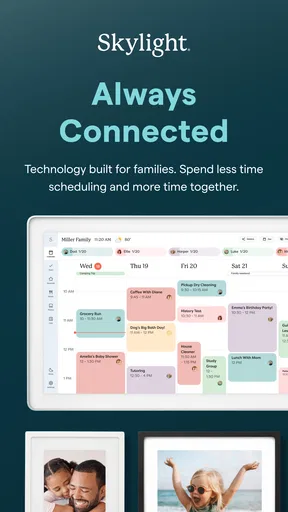
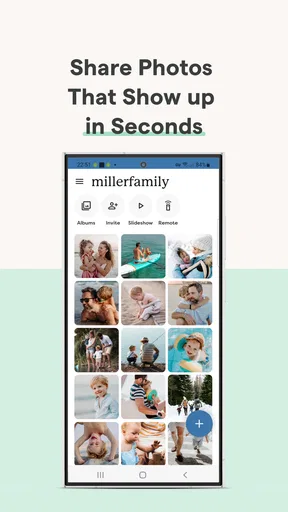
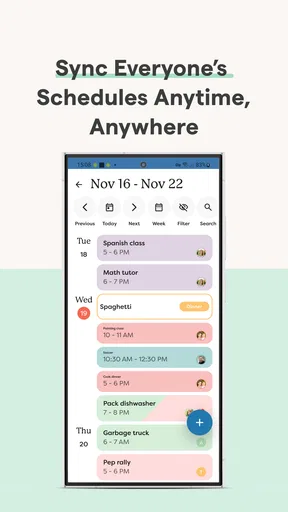
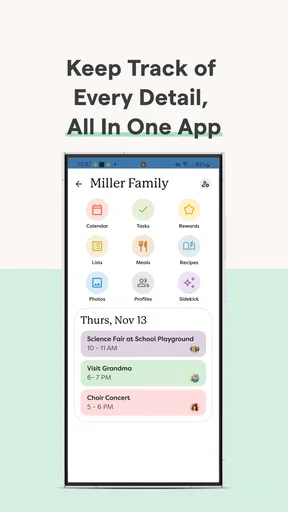
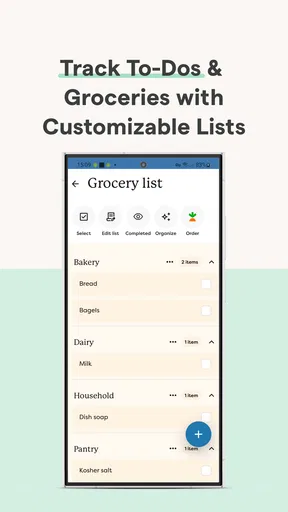
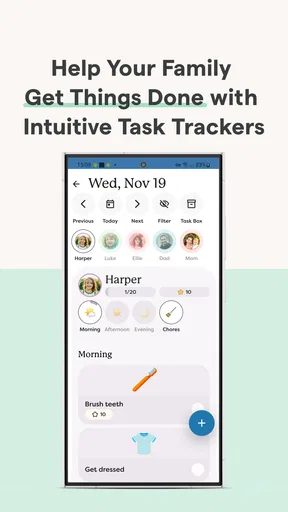
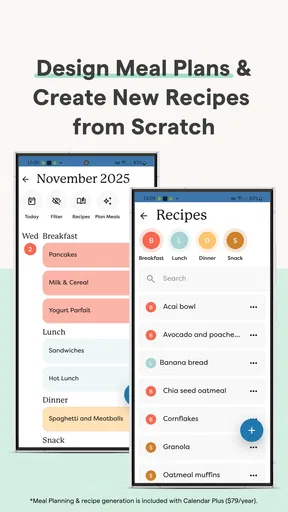
Skylight is a photography app from Skylight Frame, and its store description connects it with managing a Skylight Calendar and Skylight Frame. That makes the name easy to confuse with the astronomy app described in the published passage above. I would not assume that those are the same product: the confirmed app details identify a family calendar and photo-management purpose, not a planetarium. If you are deciding whether to install the current Skylight app, that distinction matters more than the old stargazing claims.
For a household that uses the matching Skylight devices, the app’s likely value is practical and recurring: it can serve as the mobile point of contact for the calendar and frame rather than as a one-off novelty. A useful routine would be checking the family schedule while planning the week, then keeping shared photo management in the same household workflow. That is a different kind of long-term value from the astronomy features described earlier, and I would judge it by whether the family actually returns to it.
Will it earn a place on your phone?
The current app is free to download, is rated for Everyone, and has an average rating of 4.4 from around 26,000 ratings, with over one million installs. It was released on October 5, 2018, and version 1.95.0 supports Android 7.0 and later. In-app purchases range from $3.99 to $39.99 per item, so I would check what a particular purchase covers before paying rather than treating every useful function as automatically included.
That purchase range also makes the best decision personal: if you only need a quick way to manage a household calendar or photos connected to Skylight products, start with the free app and see whether it becomes part of your routine. If you do not own or plan to use a Skylight Calendar or Frame, the app may have little reason to remain installed, and a general calendar or photo service may be the better fit. Its staying power comes from serving a real household habit, not from the name alone.
My bottom line is that the published astronomy experience and the current Skylight app should not be treated as interchangeable. The astronomy description offers an appealing way to explore the night sky, but the app identified here is for a family calendar and photo frame. I would recommend the current app to people who need that specific Skylight-device companion and expect to use it regularly; everyone else should choose a tool that matches what they actually want to do.
Privacy and Permissions
See what permissions an app requests and how it handles your data.
- Calendar
- read calendar events plus confidential information, add or modify calendar events and send email to guests without owners' knowledge
- Contacts
- read your contacts
- Location
- approximate location (network-based), precise location (GPS and network-based)
- Phone
- read phone status and identity
- Photos/Media/Files
- read the contents of your USB storage, modify or delete the contents of your USB storage
- Storage
- read the contents of your USB storage, modify or delete the contents of your USB storage
- Camera
- take pictures and videos
- Microphone
- record audio
- Wi-Fi connection information
- view Wi-Fi connections
- Device ID & call information
- read phone status and identity
- Other
- view network connections, change network connectivity, full network access, change your audio settings, control Near Field Communication, run at startup, draw over other apps, control vibration, prevent device from sleeping, modify system settings, read Google service configuration
Verdict
Strengths of Skylight
- Intuitive user interface for easy navigation.
- Wide range of customization options.
- Seamless integration with other apps.
- Fast and responsive performance.
- Frequent updates with new features.
Limitations of Skylight
- Occasional bugs in the latest version.
- Requires a stable internet connection.
- Limited features in the free version.
- Some features hidden behind paywalls.
- Can be resource-intensive on older devices.
Similar Picks in This Category
View All
Google Photos
Google LLC4.4

Gallery
Google LLC4.2

Picsart AI Photo Editor, Video
PicsArt, Inc.3.9

B612 AI Photo&Video Editor
SNOW Corporation4.1

BeautyPlus-Selfie Photo Editor
PIXOCIAL TECHNOLOGY (SINGAPORE) PTE. LTD.4.5

Remini - AI Photo Enhancer
Bending Spoons4.1
Frequently Asked Questions
What is Skylight and what does it offer to users?
Skylight is a dynamic weather app that provides real-time updates and forecasts. It offers features like radar maps, severe weather alerts, and customizable notifications. Users can also enjoy an intuitive interface that makes it easy to navigate through detailed weather insights, ensuring they are always prepared for any conditions.
Is Skylight available on both Android and iOS platforms?
Yes, Skylight is available for download on both Android and iOS platforms. Users can find the app on the Google Play Store for Android devices and the Apple App Store for iOS devices, ensuring accessibility and convenience for a wide range of smartphone users.
Does Skylight offer personalized weather alerts?
Absolutely. Skylight allows users to set personalized weather alerts based on their location and preferences. This means users can receive notifications about severe weather, temperature changes, and more, tailored specifically to their needs, keeping them informed and safe at all times.
How user-friendly is the Skylight app interface?
Skylight features a user-friendly interface designed with simplicity and ease of use in mind. The app's layout is clean and straightforward, allowing users to access weather information quickly without any hassle. Interactive maps and detailed forecasts are just a tap away, making it accessible for all user levels.
Are there any in-app purchases or ads in Skylight?
Skylight offers a free version with ads, providing essential weather features. However, users can opt for a premium version through in-app purchases, which removes ads and unlocks additional features such as advanced radar maps and extended forecast data, enhancing the overall experience.
